Introducing Docket AI: Invoices, Quotes and Receipts from WhatsApp
I built Docket AI so small businesses can create branded invoices, quotes, receipts, agreements and delivery notes by sending a WhatsApp message.
Jonathan Atiene··3 min
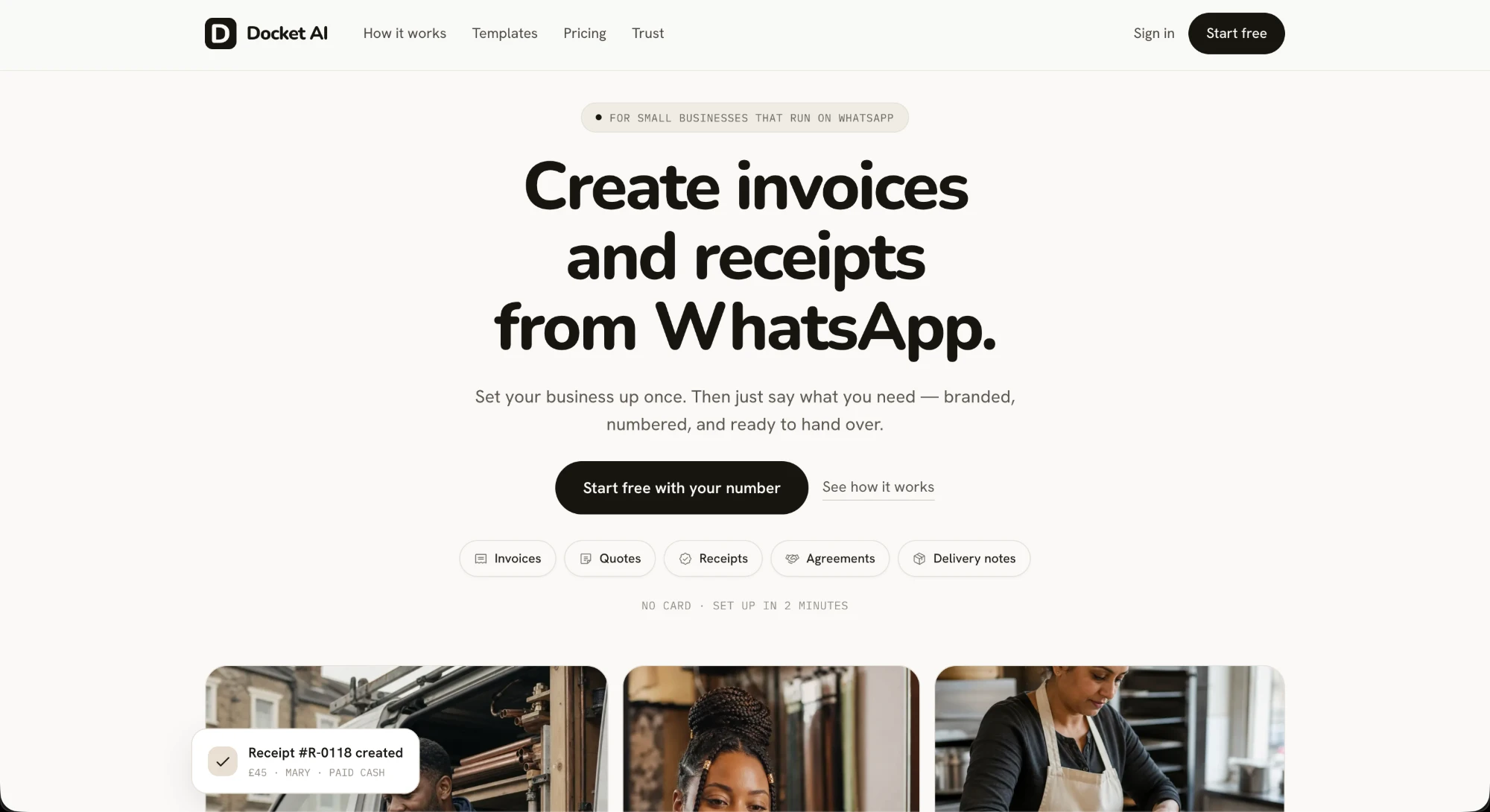
Today I'm launching Docket AI.
Docket AI is for small businesses that already run on WhatsApp. You set your business up once. After that, you tell Docket what you need in a WhatsApp message, and it sends back a branded, numbered document you can hand straight to your customer.
It handles five kinds of document:
- Invoices
- Quotes
- Receipts
- Agreements
- Delivery notes
There's no card required, and setup takes about two minutes.
Why I built it
A lot of small businesses already do their selling on WhatsApp: the plumber, the hairdresser, the home baker. The chat with the customer happens there. The paperwork usually doesn't, and that gap is what Docket fills.
How it works
1. Set up your business once
After you sign up with your phone number, you add your business details and choose a template. Every document Docket makes after that carries your branding and gets numbered in sequence automatically.
2. Ask for a document on WhatsApp
This is the core of the product. You message Docket the way you'd message an assistant. Here I asked it to draft a sales agreement for a hospital:
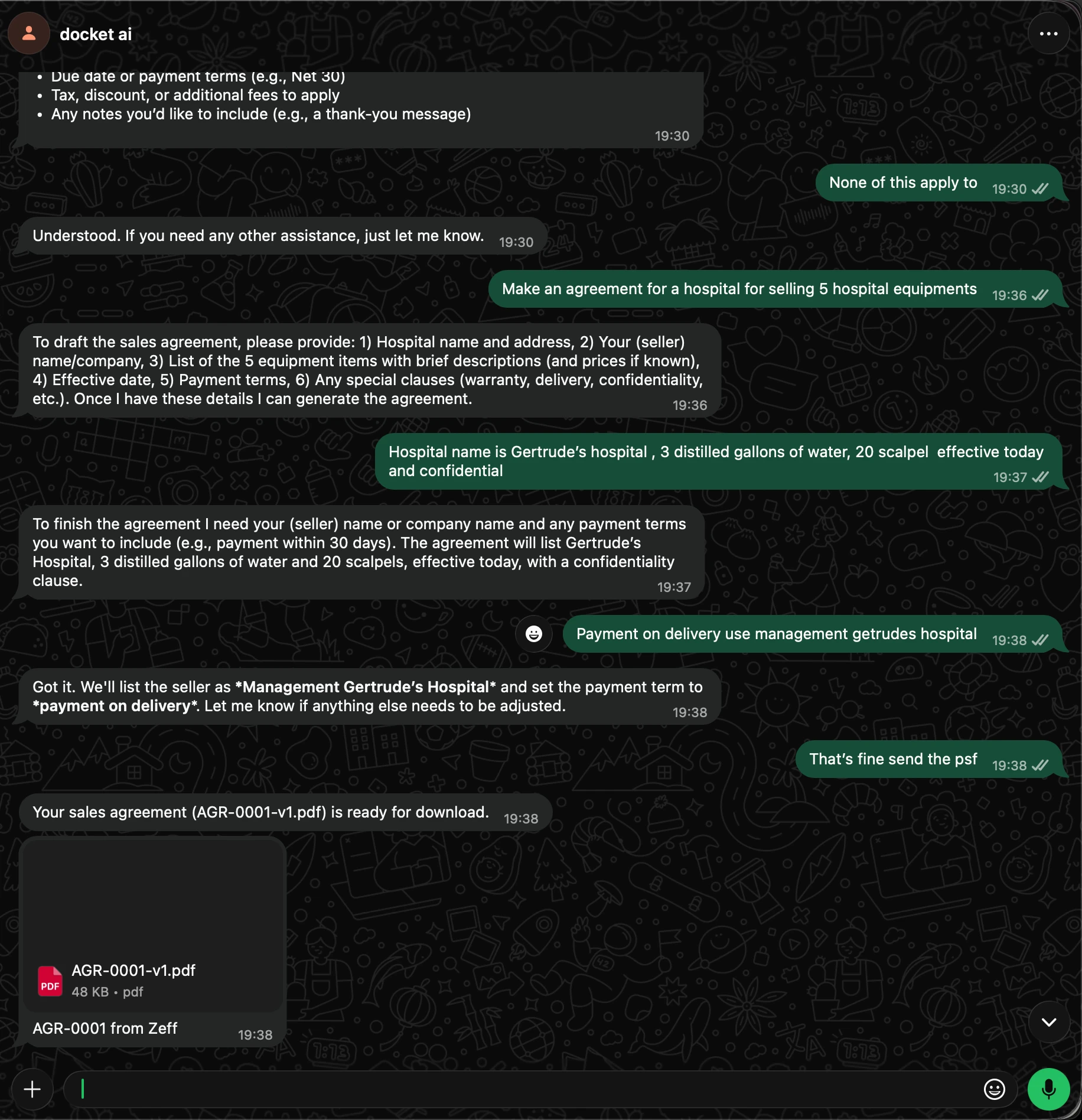
Here's what happens in that conversation:
- I ask for "an agreement for a hospital for selling 5 hospital equipments".
- Docket doesn't guess. It asks for the details a sales agreement needs: the buyer's name and address, the seller, the items, the effective date, the payment terms and any special clauses.
- I reply in plain, slightly messy language: "Gertrude's hospital, 3 distilled gallons of water, 20 scalpel, effective today and confidential".
- Docket reads back what it understood, including a confidentiality clause, and asks for the one thing still missing: the seller and the payment terms.
- I say "That's fine send the psf" (typo included), and it replies with
AGR-0001-v1.pdf, ready to download and forward.
I never filled in a form. The whole exchange took about two minutes.
3. Everything is saved to your workspace
Every document you create on WhatsApp is also saved to your Docket workspace on the web. The dashboard shows how many documents you've made, grouped by type, along with drafts and what you created this month.
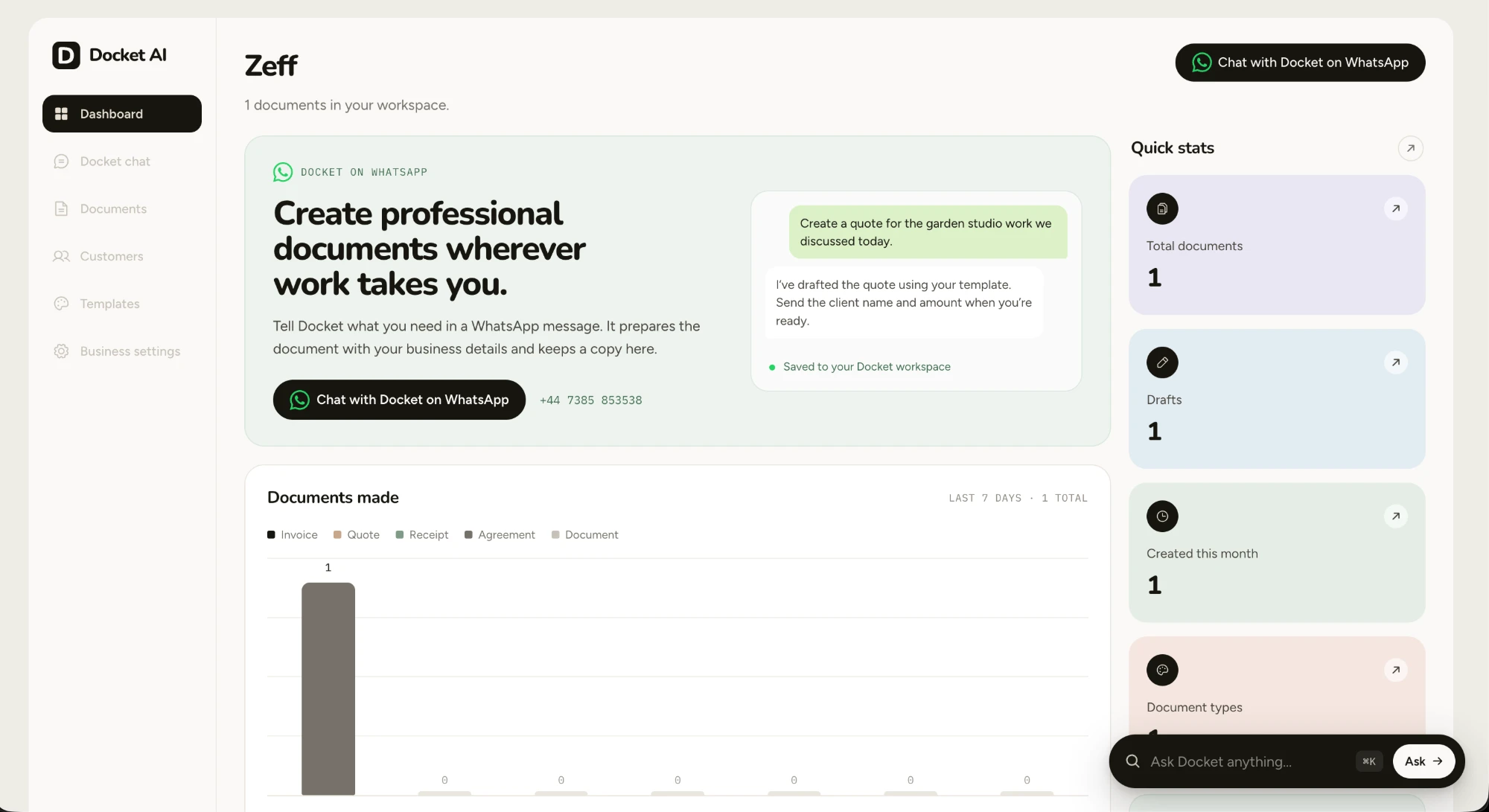
From the workspace you can also manage your Documents, Customers, Templates and Business settings.
4. Or chat with Docket on the web
If you're at a laptop, the same assistant is available in the browser. Docket chat can create an invoice, quote or receipt, add or find a customer, update an existing document, edit a saved template, or build a template from an image of one you already use.
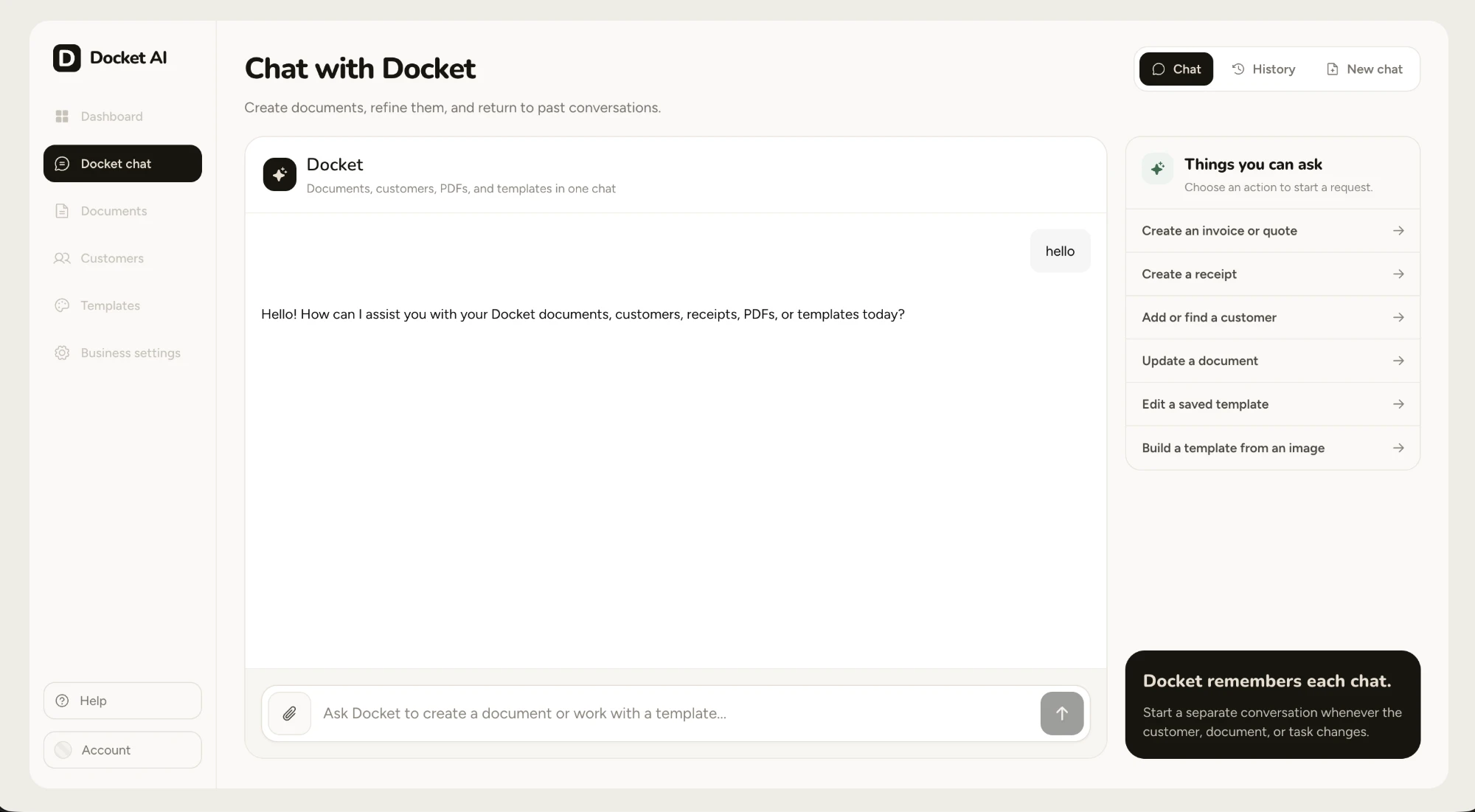
Docket remembers each chat, so you can start a separate conversation for each customer, document or task and come back to it later.
Try it
If you run a business on WhatsApp, start free with your number. I'd love to hear what you make with it and what's missing.
#AI Engineering#Agentic Systems
Related
- Agentic Systems
AI-Agent Powered Software Upgrades and Migration:
Exploring How AI Agents Could Automate Complex Code Migrations
- AI Engineering
The End of AI Slop: Engineering a Voice for AI-Assisted Writing
I have been thinking about why AI writing feels perfect but strangely familiar, and whether we can represent our writing voice as a system instead of asking a model to guess it.
- AI Engineering
Ship Your Own AI: I Built a Desktop App That Turns Any Dataset into a Fine-Tuned Model
I wanted one thing: take a dataset, pick a model, click train, and get a fine-tuned LLM — all on my MacBook Pro. No cloud bills. No Jupyter…